


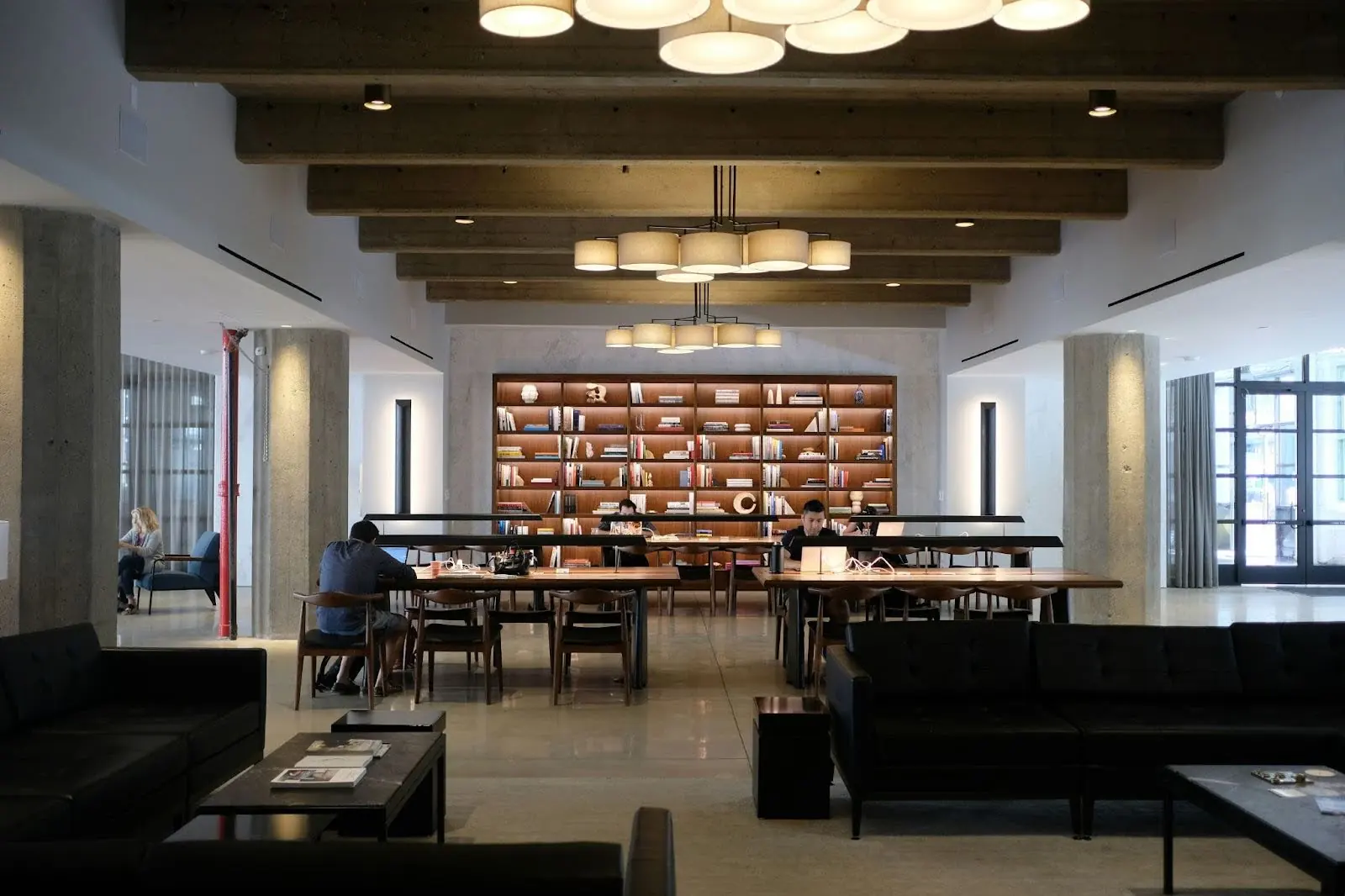
Unlock Flexible Workspace Potential: Hybrid Work Setup Guide
Hybrid work isn’t just a trend—it’s the new standard.
By 2025, over 64% of large companies have embraced hybrid models, yet many still struggle with office attendance, space usage, and team collaboration. This guide breaks down how to build a future-proof hybrid workplace using flexible workspace tools, hot desking best practices, and real-time analytics. Learn how Officely helps teams simplify desk and meeting room bookings—directly within Slack or Microsoft Teams—to improve visibility, boost attendance, and reduce office costs. If you're ready to make hybrid work work, this is your starting point.
Hybrid work is no longer a trend—it’s the new standard. As of 2025, over 64% of large companies have adopted a hybrid model, with only 17% sticking to traditional office setups[1]. This shift is driven by employee demand for flexibility, cost pressures, and the need for seamless collaboration. Yet, many organizations still struggle to manage office attendance, optimize space, and keep teams connected. The right hybrid work setup can unlock productivity, reduce costs, and create a better employee experience. Here’s how to build a flexible workspace that works for everyone.
Why Hybrid Workplaces Matter in 2025
Hybrid work models are now a strategic necessity.
A recent global study found that 33% of employees believe choosing where and when they work improves work-life balance, reduces stress, and increases motivation[1]. Companies that adapt to these expectations see higher engagement and retention. But hybrid work isn’t just about letting people work from home. It’s about creating a system where office and remote work complement each other.
What Employees Want from Hybrid Work
- Control over their schedules
- Clear visibility into who will be in the office
- Access to well-equipped, on-demand workspaces
- Tools that don’t add complexity to their day
For example, an employee might plan to come in for a team meeting, only to find the office nearly empty. This disconnect leads to frustration and wasted commutes.
Core Elements of a Flexible Workspace
Managing a hybrid workplace requires more than just policy changes.
Organizations need systems that support both in-person and remote collaboration. The most effective setups combine technology, space management, and transparent communication.
Key Components of Hybrid Office Management
- Desk booking software for reserving workspaces
- Meeting room booking systems for seamless collaboration
- Parking space management for in-office days
- Integration with existing tools like Slack and Microsoft Teams
The Role of Desk Booking Software
Desk booking software lets employees reserve a workspace before coming in. This prevents overcrowding, supports hot desking, and gives everyone visibility into who will be in the office each day[2]. Officely, for example, integrates directly with Slack and Microsoft Teams, so users don’t need to learn a new system. This reduces friction and increases adoption.
Benefits of Desk Booking Tools
- Reduces unused office space
- Supports flexible attendance
- Improves collaboration by showing who’s in the office
- Cuts real estate costs by scaling space to actual demand
How to Manage a Hybrid Workplace Effectively
A successful hybrid setup balances flexibility with structure.
The most effective organizations use a mix of technology and clear processes to manage attendance, space, and collaboration.
Step-by-Step Hybrid Work Setup
- Assess Your Needs: Analyze how often teams need to meet in person and what types of spaces they use most.
- Choose the Right Tools: Select workspace management software that integrates with your existing platforms.
- Set Clear Policies: Define how and when employees should book desks, rooms, and parking.
- Communicate Schedules: Use transparent scheduling tools so everyone knows who will be in the office.
- Monitor and Adjust: Use analytics to track attendance and space usage, then adjust policies as needed.
Example: Optimizing Office Space
One company reduced workplace costs by 51% by switching to on-demand workspace solutions, scaling office space based on real-time demand instead of paying for unused space year-round[2].
Common Pitfalls and How to Avoid Them
- Lack of visibility: Without a clear system, employees don’t know who will be in the office.
- Overcomplicated tools: If booking systems are hard to use, adoption drops.
- Unused space: Without analytics, companies pay for empty desks and rooms.
“Employers are prioritizing the ability to customize schedules, allowing employees to plan their own workday.”[1]
Hot Desking and Desk Reservation: Best Practices
Hot desking supports flexibility but needs the right tools to work.
Hot desking allows employees to use any available desk rather than having assigned seats. This approach maximizes space efficiency but can create confusion without a reliable reservation system.
Implementing Hot Desking
- Use a desk booking system that updates in real time
- Integrate with communication tools for easy access
- Provide clear instructions and support for employees
Hot Desking Checklist
- Real-time desk availability
- Integration with Slack or Teams
- Mobile-friendly booking
- Analytics on desk usage
- Support for meeting room and parking reservations
Comparison: Desk Booking Solutions
.divTable{ font-family: Factora; display: table; width: 100%; line-height: 1.4; } .divTableRow { display: table-row; } .divTableHeading { background-color: white; display: table-header-group; } .divTableCell, .divTableHead { border: 1px solid #efeae3; display: table-cell; padding: 6px 12px; } .divTableHeading { background-color: white; display: table-header-group; font-weight: bold; } .divTableFoot { background-color: white; display: table-footer-group; font-weight: bold; } .divTableBody { display: table-row-group; } .divTableBold { font-weight: 700; } .divTableTop { background: #f0faff; font-size: 20px !important; font-weight: 700; } @media screen and (max-width: 767px) { .divTable { font-size: 16px; } .divTableCell { font-size: 14px; } }
Criteria
Officely
Other Solutions
Slack/Teams Integration
Yes
Sometimes
Learning Curve
Minimal (uses existing tools)
Moderate to High
Desk, Room, Parking
All supported
Varies
Analytics
Built-in
Varies
User Adoption
High (no new app needed)
Varies
Officely stands out by integrating directly with Slack and Microsoft Teams, reducing the need for employees to learn new systems and increasing adoption rates.
Workspace Management Software: What to Look For
Choosing the right office management software is critical.
The best workspace management software supports flexible attendance, provides real-time analytics, and integrates with your existing workflow.
Key Features to Prioritize
- Desk and meeting room booking
- Parking management
- Integration with communication platforms
- Real-time analytics and reporting
- User-friendly interface
Industry Framework: The Hybrid Office Maturity Model
- Ad Hoc: No formal system, manual tracking
- Basic: Simple booking tools, limited integration
- Integrated: Full integration with communication tools, analytics, and flexible policies
- Optimized: Data-driven space allocation, predictive analytics, seamless user experience
Most organizations aim to reach the “Integrated” or “Optimized” stage for maximum efficiency and employee satisfaction.
Industry Trend: AI and Analytics in Workspace Management
AI-driven analytics are helping companies predict peak office days, optimize space allocation, and recommend the best times for teams to meet in person[2][1]. This data-driven approach reduces costs and improves the employee experience.
Meeting Room Booking and Collaboration
Meeting room booking systems are essential for hybrid teams.
With teams splitting time between home and office, meeting rooms need to be easy to reserve and manage. The best systems show real-time availability and integrate with calendar tools.
Best Practices for Meeting Room Booking
- Display real-time room status
- Allow booking from Slack or Teams
- Send automatic reminders and updates
- Track usage for future planning
Real-World Example
An employee checks Slack to see which colleagues will be in the office, reserves a desk and a meeting room for a project session, and receives a confirmation—all without leaving their usual workflow.
Officely: Flexible Workspace Management for Modern Teams
Officely provides a comprehensive solution for hybrid office management.
By integrating directly with Slack and Microsoft Teams, Officely enables organizations to manage desk reservations, meeting rooms, and parking spaces without requiring users to learn new applications. This approach increases office attendance by making the booking process simple and transparent.
Officely’s Unique Value
- No new app to learn—works within Slack and Teams
- Real-time visibility into who will be in the office
- Supports desk, meeting room, and parking reservations
- Built-in analytics for data-driven decisions
“Officely focuses on increasing office attendance in hybrid workplaces by simplifying the booking process and providing visibility on who will be in the office each day.”
Conclusion: Building a Hybrid Workplace That Works
Hybrid work is here to stay. Organizations that invest in flexible workspace management—combining the right technology, clear policies, and transparent communication—see higher engagement, lower costs, and better collaboration. Desk booking software, meeting room management, and real-time analytics are now essential tools for any modern office.
If you’re looking to unlock the full potential of your hybrid workspace, consider solutions that integrate with your existing tools and make the process easy for everyone. Officely’s approach—seamless integration, transparent scheduling, and comprehensive management—helps organizations adapt to the future of work with confidence.
Ready to see how flexible workspace management can work for your team? Explore Officely’s features and start building a hybrid office that fits your needs.
Citations
[1]https://www.gable.to/blog/post/hybrid-office
[2]https://unspot.com/blog/hybrid-work-trends/


