



5 Hybrid Collaboration Tools for Peak Productivity
Essential Productivity Tools for Hybrid Teams
Enhance productivity and streamline workflows in hybrid teams by selecting the right tools for communication, project management, and resource planning.
- Why it matters: Hybrid work environments require careful tool selection to ensure teams stay connected, manage projects efficiently, and maintain flexibility.
- Key tools: Desk booking (Officely), project management (Asana, Trello), time tracking (Toggl, Clockify), communication (Slack, MS Teams), and knowledge sharing (Confluence, Notion).
- Key advice: Prioritize simplicity over complexity by choosing tools that fit your team’s specific needs, eliminating unnecessary distractions.
- Who it’s for: Hybrid teams looking to boost productivity while maintaining clarity, transparency, and organization.
When it comes to improving the productivity of your hybrid team, you might be inclined to add all the best productivity tools to your tech stack – after all, if each helps you gain 5%, if you use 10 tools, your team’s productivity will increase by 50%, right?
Not quite. The truth is, in most cases, simplicity wins.
The most successful hybrid workplaces don’t drown their people in software; they pick a few tools geared toward their exact needs and remove all other distractions. Being intentional and discerning with your tech stack choices is key to enabling everyone to work efficiently – and to making sure everything is up to date.
In this article, we’ll cut through the clutter and focus on tools that genuinely make a difference, from desk booking to communication and collaboration.
We’ll explore nine categories of software for remote and hybrid teams, but this doesn’t mean you need to pick a tool from each one. On the contrary, we encourage you to first define your team’s specific requirements and then pick the types of software that most make sense to you.
What do we mean by hybrid workplace productivity tools?
Hybrid workplace productivity tools are apps designed to help hybrid teams work together efficiently, stay focused on their goals, and ensure everyone’s on the same page, regardless of the physical location of each team member.
Not all productivity software will work for hybrid teams; when some of your employees are working remotely on any given day, you need to make sure the apps you’re using can meet the specific challenges of hybrid work, like efficient communication and video conferencing, desk booking, and tracking project progress in real time.
Officely: Desk booking system that works with Microsoft Teams and Slack
Hybrid teams thrive on clarity and transparency, especially when it comes to schedules and planning in-office days. Nobody likes to commute to an empty office or come in only to find out there aren’t any available desks left, so you need to make sure your team has an easy way to book desks and see when others will be in the office – and, ideally, do that directly from an app they’re already using.
That’s exactly why we created Officely, a desk booking system designed to make hybrid work simple, intuitive, and productive for everyone – and that lives in the communication tools your team already uses (Microsoft Teams and Slack).
With Officely, your team and admin staff can:
- Book desks, meeting rooms, parking spots, and shared spaces in seconds, directly within Slack or MS Teams
- See who’s coming in each day and coordinate hybrid schedules easily
- Plan and organize meetings, group events, and workshops
- Track space utilization and allocate resources in a way that makes sense to everyone
We believe that hybrid work shouldn’t be a guessing game, so we’ve created an app that can do the heavy lifting, figuring out the best days for in-office work so your team doesn’t have to.
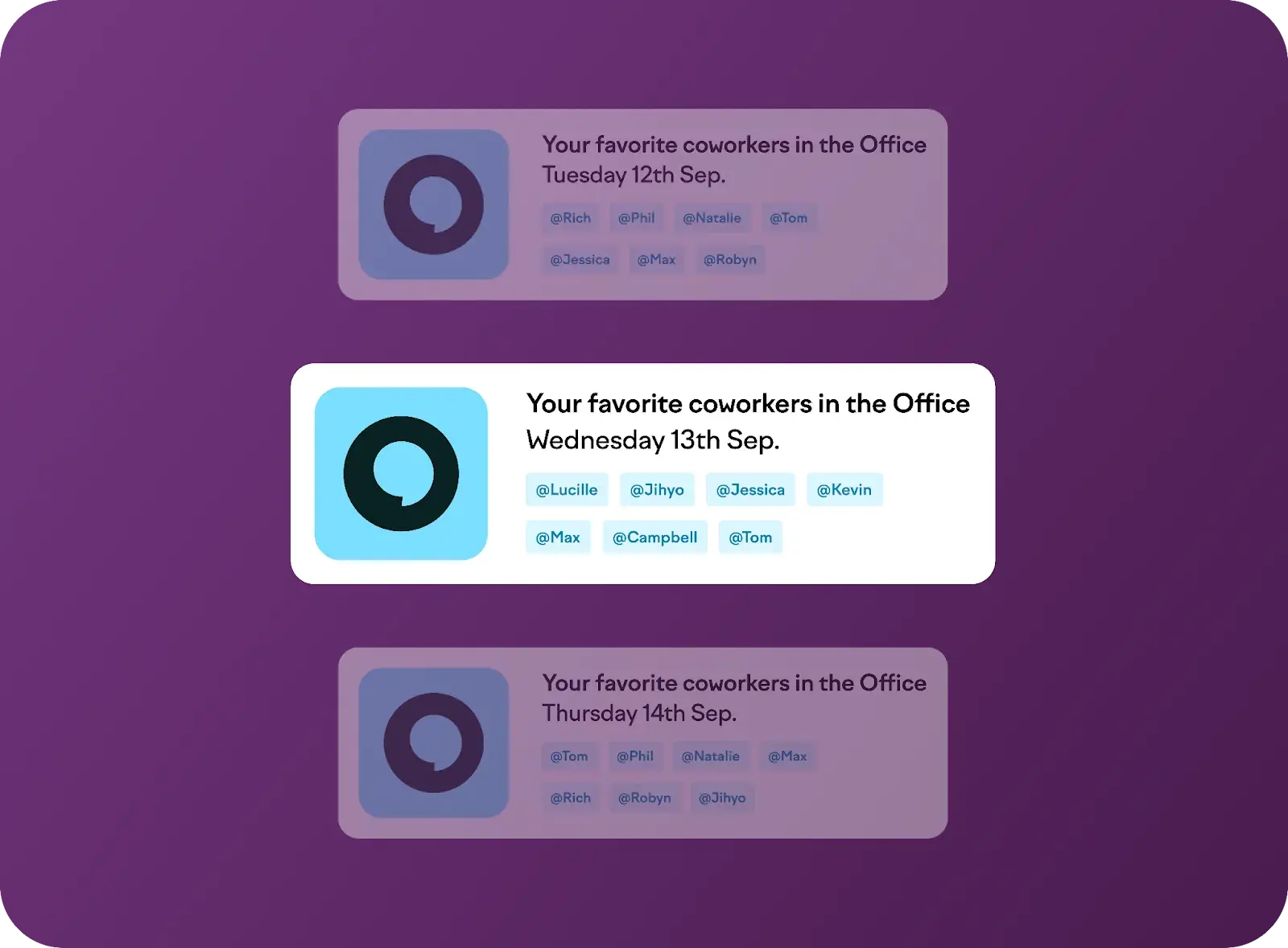
Officely lets your people know know when their favorite coworkers will be in the office, which helps boost attendance and employee engagement
Project management tools
The timely completion of your projects depends on how well your team can plan resources, communicate, and tackle challenges. And, with some members in the office and others working remotely, you cannot just call a quick snap meeting to make sure everyone’s on track – so it’s crucial to have the right project management software that keeps everyone accountable and clear on what they need to work on.
Project management tools are designed to help teams manage workloads, tasks, and priorities, and track progress in real time. Look for a tool that enables you to break projects into smaller chunks, assign work, receive automated reminders, and visualize progress.
Here are our top picks:
- Asana, for its advanced timeline and workflow features to simplify managing complex projects
- Trello, for its simple, visual Kanban boards that make tracking tasks feel almost intuitive
- ClickUp, for its combination of task management, time tracking, and goal-setting
- Monday.com, for its visual boards and automations
Each of those apps has a free version, which you can use to test it and see whether it fits your use cases and the work style of your team.
Time management apps
Time management apps are designed to help your team members track their hours, plan their workdays, and minimize wasted time. Essentially, those tools should be for them, rather than for you – if you try to micromanage each person based on the time they spend on each task, this will almost certainly backfire.
However, it enables you to get a general idea of everyone’s workload and of how your team is using its most precious resource – time.
The best time management apps go beyond simple timers and have features like detailed reporting, scheduling, client billing, and integrations with other tools your team already uses.
Here are our top picks:
- Toggl, for its easy-to-use interface and detailed time-tracking reports
- Clockify, for its robust free plan and team-friendly features
- RescueTime, for automatic tracking of time spent on apps and websites to improve focus
Team communication tools
Without the right communication tools, conversations can become fragmented, updates get missed, and collaboration breaks down. And for hybrid or fully remote teams, having the right communication app is absolutely critical.
Team communication tools help your team stay on track by centralizing conversations in dedicated channels, enabling real-time collaboration, and providing quick updates on everyone’s availability.
Here are our top picks:
- Slack, for its organized channels and extensive integration options
- Microsoft Teams, for its seamless collaboration features, including messaging, meetings, and shared files
- Chanty, for its focus on simplicity and value, with task management built in


