Step #1. Properly Introduce Officely
If you want your team to start using Officely, they need to be aware of it, and aware of the expectations around using it.
You can both introduce and set these expectations out in a number of ways, depending on the size and structure of your company.
One option is to hold a company-wide or team-wide meeting to discuss the benefits of Officely and how it can be used to improve your employees’ working lives.
By focusing on how Officely helps your team see who’s in, organize in-person meetings, and discover what’s happening in the office, your team will recognize why it’s in their best interest to download us.
While in this meeting, it’s also important to let your team know that you’ll be moving away from your previous hybrid workspace management tool on a certain day, or by simply giving them a date by which time they’re expected to have downloaded Officely.
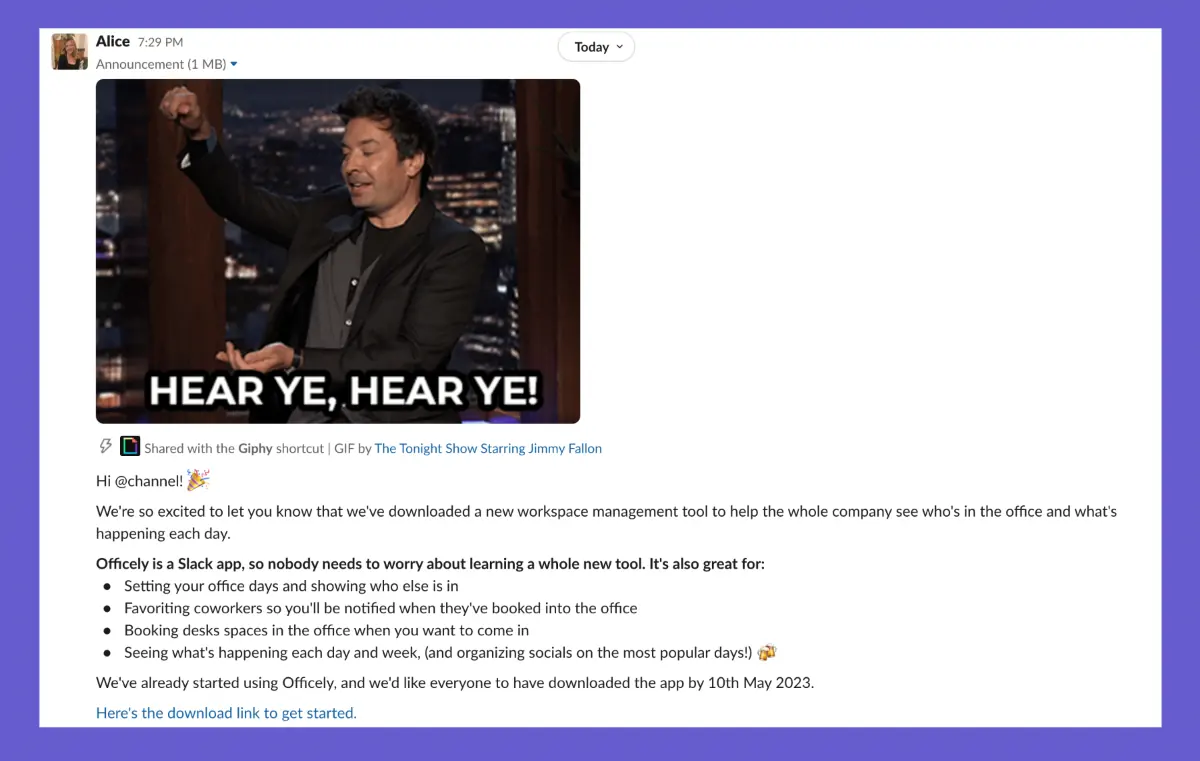
Another option is to send out a message on your company's Slack channel. You can use creative GIFs, memes, and images to highlight the key features and benefits of Officely for your team.
Again, if you choose to do this, make sure to set a clear timeline for your team to have downloaded and started to use Officely.
Regardless of how you choose to introduce Officely, it's important to emphasize how it will benefit your employees and help them work more efficiently. Make sure to address any potential concerns or questions that may arise and be transparent about the reasons for implementing Officely.
💡 People follow by example, make sure your leadership team is all using Officely! This could mean setting up a seperate meeting or sending a different message to them!